The cymbals of your drum kit and mix are useful for driving energy and marking the peaks of the mix in terms of energy. You also walk a tightrope when it comes to how to EQ cymbals in particular as one side leaves them dull while the other side leaves them harsh and grating to your listener’s ear.
This guide on how to EQ cymbals will show the exact frequencies to cut and boost and acts as a great cheat sheet for getting your cymbals sitting perfectly in both the drum kit and mix at large.
How to EQ Cymbals
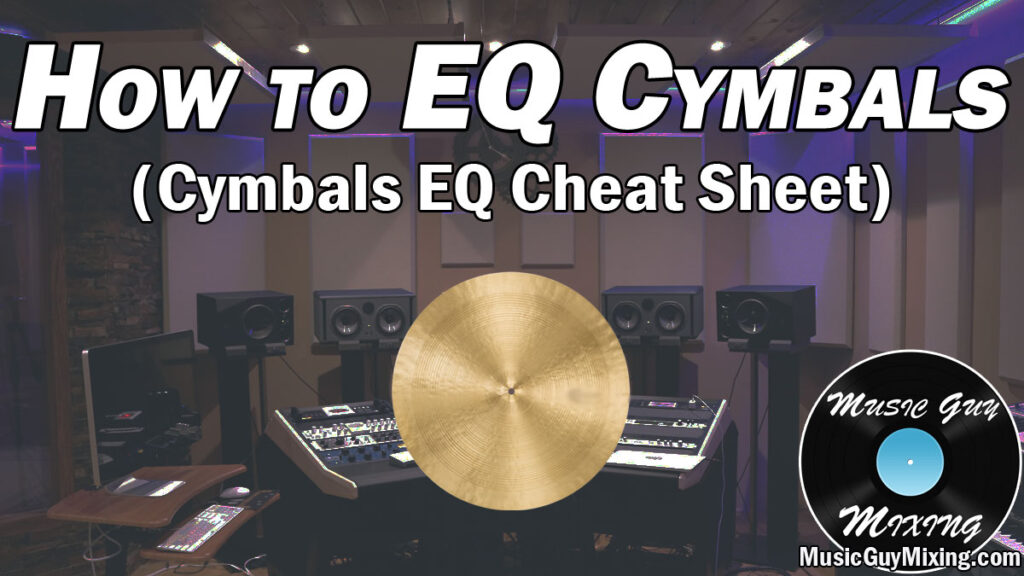
Here is a snapshot of the settings for how to EQ cymbals which you can dial into your EQ plugin of choice on your cymbal track(s):

Let’s take a closer look at each adjustment to better explain how to EQ cymbals at each relevant frequency.
High Pass at 200Hz
Like virtually every track in your mix, a high pass filter is a great place to start when you sit down to EQ your cymbals.

By removing all frequencies below 200Hz, as the graphic suggests this removes bleed from other instruments without sacrificing any musical frequencies on the cymbals itself. As always, this creates space for the kick, bass, and other low frequency-centric instruments which is key for low end mixing.
Cut/Boost at 300-400Hz
300-400Hz is the first prerogative range where you need to make a decision:

This will depend on your cymbals are recorded or the sample you’re working with. Cutting 300-400Hz is useful for adding to the clarity of the high mid frequencies and above. Conversely, boosting here is useful for balancing a thin or top heavy cymbal so that it’s not entirely top end.
Try an adjustment of 1-2dB between 300-400Hz to see if either benefits the overall tone of your cymbal(s) in the context of the full mix. Don’t cut or boost just to do it; an adjustment here or in any of these sections isn’t always necessary.
Cut at 400-600Hz
I mentioned bleed with the high pass filter; you can clean up some snare bleed which can make the cymbals boxy with a cut at 400-600Hz:

Specifically you might use a sidechained, dynamic EQ cut here so that you’re only cutting from the overtones of the cymbals’ body when that snare is triggering, keeping that upper end of the body intact otherwise.
Cut at 4kHz to Control Harsh Cymbals (Optional)
Again, most of these moves are optional, but one which is obviously optional comes down to whether or not your cymbals are harsh and grating.
If that’s the case, a small cut at 4kHz can help smooth it out:

I mentioned cymbal samples earlier; I find that many third party, prerecorded cymbal samples are especially bright, oftentimes to a fault.
An easy way to smooth them out is with a 1-2dB cut in that 3-5kHz range, centered around 4kHz.
Sometimes I go one step further and use a plugin like soothe alongside this adjustment. If I supplement a 4kHz cut with something else, I’ll halve the cut on my cymbal EQ, limiting it to a 1dB or so attenuation.
Going one step further, check out my complete guide on how to tame a harsh mix if your problems extend beyond just the cymbals.
Cut/Boost at 10kHz
Another listen and decide adjustment lies around 10kHz where we’re getting into the crispness and sizzle of the cymbals, not to mention some top end clarity.
Boosting or cutting here will yield a couple different results:

Boosting can bring out that sizzle and crispness up top, but conversely you can tame some of the harsh frequency overtones at 10kHz, as well with a cut.
The latter is useful if you have some lingering harshness which typically is part and parcel of having to had to cut around 4kHz as just mentioned.
The ear isn’t nearly as sensitive in that 10kHz region, so it’s typically not nearly as much of an issue here, but sometimes boosting here can CREATE a bit of harshness, particularly when your cymbal wasn’t missing much in the way of clarity to begin with – it’s just something to keep in mind.
Low Pass at 22kHz
Lastly, I like to low pass a little higher than usual given that this is one of the highest frequency-rich instruments in your mix.

This adjustment isn’t so much about creating space for anything else, but it can create a modicum of headroom for the mix.
Tips on How to EQ Cymbals
- EQing your cymbals can help create a more balanced overall tone, nudging the tone one way or the other.
- Start out by high passing your cymbals at 200Hz to cut out bleed from the rest of the kit and remove non-musical, non-essential frequencies to add clarity to your kit and mix.
- Cut or boost between 300-400Hz to add clarity or balance the body with the top end, respectively.
- Use a dynamic EQ cut at 400-600Hz to remove the snare bleed specifically when it builds up. You can even sidechain this band to the snare so that it only cuts when the snare triggers.
- Control the harshness of your cymbals with a cut at 4kHz when they’re grating on the ear. This is especially relevant when using cymbal samples which have a tendency to be overly bright to a fault out of the box.
- Cut or boost at 10kHz to smooth out harsh overtones or add top end sizzle and clarity, respectively.
- Low pass your cymbals between 20-22kHz using a 18dB/oct slope or so to create a bit of headroom without cutting into the top end transients.