A DAW or digital audio workstation is your connection between your audio whether you’re recording and mixing it. If you’re new to the world of home audio production, let’s talk what is the best DAW for beginners.
Best DAW For Beginners
Okay, starting out and strictly speaking, a DAW like Apple’s free GarageBand is most likely the best DAW for beginners if you’re an Apple IOS user:

Note that this equally applies to whether you’ve got an Apple computer, an iPhone, iPad, etc. It’s free across the board to all Apple users.
This is coming from a lifelong Windows user, but Apple typically goes out of their way to make their products especially user friendly, and GarageBand is actually the simpler and much lighter version of their premium, proprietary DAW in Logic Pro.
I tried a friend’s version of it back when I started recording and was certainly impressed by the simplified layout.
As you can see above, everything is cleanly labeled both audio and midi tracks. Like virtually any DAW, it comes with a built-in suite of virtual instruments:
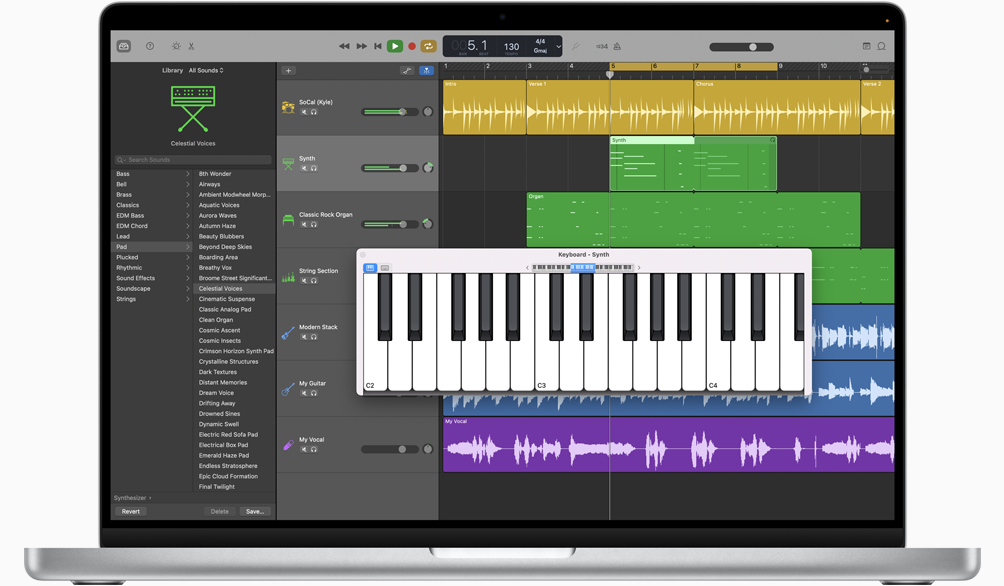
Each instrument has its presets to give you a variety of different sounds out of the box. Putting together a virtual drum kit to chase different sounds is easy, as well:

And of course you have access to a lot of the basic plugins which are talk about on this website every day for sculpting the sound of your audio in post:

I mentioned it’s compatible across all Apple hardware and platforms; a very nice detail to mention is that GarageBand is very “crossplay” friendly; you can record something on your laptop then open it up in GarageBand on your iPhone and adjust or experiment with it on the go.
Being the simplest DAW is actually a double edged sword, as you might get deep into a project and discover you’ve gone as far as you can go with your song(s) in GarageBand when you want to do something more advanced only to learn the it lacks that functionality.
That’s why I can’t recommend enough the primary DAW I’ve used my entire recording, mixing, and mastering career in Ableton Live:
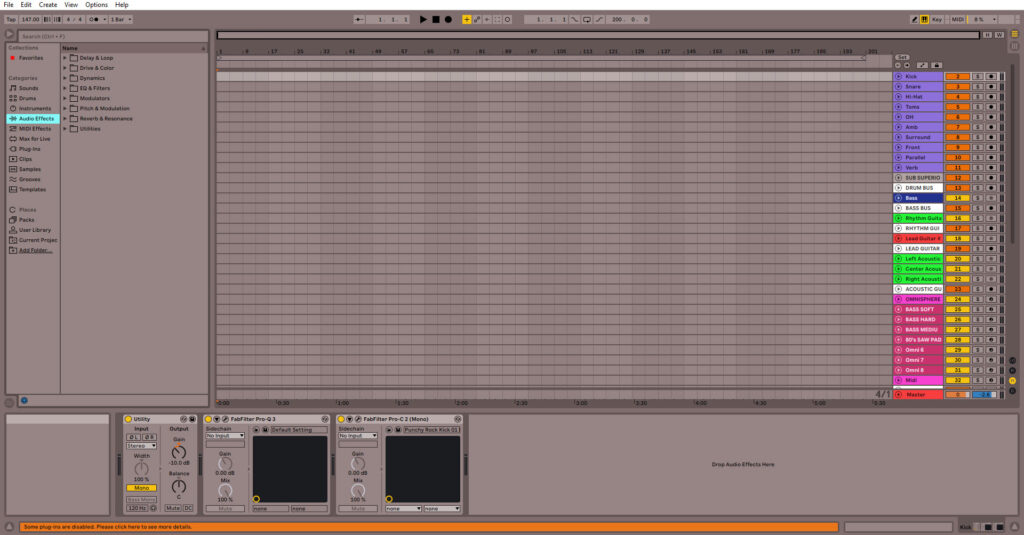
It can look a little daunting, particularly compared to the objective simplicity of GarageBand. Above pictured is my default mixing and/or recording template which I begin every mix with, so it’s all filled out already.
Also represented above is Live’s “Arrangement” view where you can see all of the clips and their positions on the timeline relative to one another.
Alternatively, we have the project displayed in “Session” view:
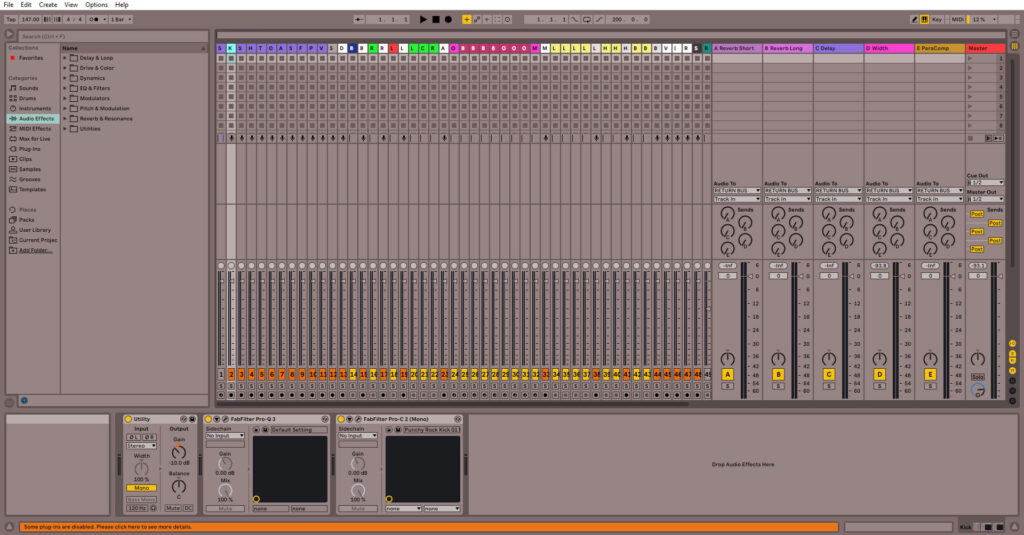
Admittedly the tracks are condensed like they are in the previous view just for the sake of cramming as much into the shot as possible. I probably should’ve thought to do the same thing with my Return tracks on the right which allow you to blend in your effect(s) of choice on any track, but ANYWAY.
On the left you’ve got your menu access, whether that’s Ableton stock plugins (that link is my complete overview on them) or instruments, your 3rd party plugins, every audio clip in your project, etc.
One of the nice things about Ableton Live and a big reason of why I can recommend it even as a best DAW for beginners is the amount of free tutorials which are out there on it.
That’s something else to consider when you’re getting a new DAW – its popularity. Really for any of the best selling DAWs whether that’s FL Studio, Pro Tools, Logic Pro, etc. you know that there’s going to be a massive support community out there to help you answer any question you’ve got on how to do something within the software. Virtually any question you might have has already been asked and answered for you to find.
That’s why I recommend Ableton Live as the best DAW for beginners. This is equal parts because I found it easy to pick up and use from day 1, there’s the aforementioned huge support community for it between YouTube, Reddit, forums, etc., and it’s one of the most powerful DAWs out there with very few limits on what you can do.
AND of course you can always refer to my Ableton Live tutorials I’ve shared on here over the years to help you out, as well.